Karl in a comment asked what I'm doing for collision, so here's a brief run down.
I export the levels from Max as a simple XML file with triangles, load that and parse them into a friendly structure. I store all the parsed triangles in a balanced binary tree, subdividing cells on longest axis. I would use an octree, but that requires subdiving for effect, and I haven't yet invested in writing a triangle splitter.
My movable physical objects are all spheres.
After I move any of the physical entities, I do a constraint pass against the level, i.e. for each triangle, check to see if my sphere is intersecting with it. If it is, move me out of the triangle, using the direction I'm coming from, i.e. the direction from where I currently am, to where the intersection happened. This works just fine as long as none of the entities can move farther than their diameter in a single frame.
I do the same thing with any other dynamic physical barriers, but they are represented by boxes.
I also provide ray-tracing onto the level mesh, which allows for queries like, "find the closest point on the level beneath me".
Entity to entity collision is straightforward sphere to sphere intersection tests. Again, works just fine if no one can travel faster than their diameter in a single frame.
To avoid noise, separation between entities isn't direct collision response as it is with the level, rather it is applied as a separating force over time.
In effect, the wolves are flocking away from each other rather than strictly colliding. The thinking here is that it's better to have two wolves intersect briefly rather than bounce back and forth as they're corrected violently each frame. This also means that by and large they can't get each other stuck.
Showing posts with label game programming. Show all posts
Showing posts with label game programming. Show all posts
Saturday, March 03, 2007


Tuesday, February 27, 2007
Zap! Pow! Biff!
A few things have happened since last time:
- I now have the different firing modes in place. Each of Tad's (Tad, his name is Tad for now) weapons have 3 firing modes: tap for a quick shot, hold and release for a "shotgun" and hold for a while for a berserk blast. The fire gem has all 3 working now.
- Added support for a bigger variety of effects. Mean, mean friends were saying it just wasn't pretty enough.
- Built a cave environment.
- Made froggies.
The vid above shows the attack modes. I'll post another soon with the new pretties.
I think I've reached the limits of the built in content pipeline plugins and it's time to branch out. As soon as I hit another wall, I'm off to write my own importers and processors.
I've grown to like mesh animation. It's crude, but appealing to me. Normally you'd rough out an animation by defining key poses along the timeline, then iteratively pass over the whole thing again and again adding overlapping motions and follow through to get a natural looking motion. Animating on a budget generally means animating pose to pose, and leaving it at that, and rightly enough that suits the mesh animation look better. I simply model the poses I require (using skinning in Max, if it's a complex mesh like Tad), then string them along a timeline in Stutter, duplicating appropriate hold frames.
With my own content processors, I could pack all those mesh frames into the minimum amount of data necessary, and the overhead should be pretty reasonable. Especially as I'm going low poly anyway. Certainly the runtime processing cost is laughably small compared to a skeletal animation.
Live scripting language is absolutely the bomb. Almost all of the logic bar collision is written in Stutter now, and the joy of being able to write player control while actually in the game is intoxicating. It would be quite a bit more work to get a professionally robust version going, but I think I'm going to start recommending it anywhere I work. It's just so worth it. I just need to see if there's some easy way to hook up live asset reloading (in this XNA version) as well. As it is, adding/changing assets still requires me to drop out and rebuild in VS.
In case anyone is wondering why bother with the XNA and C# when I'm off traipsing through my own language... how on earth do you think I got it all up and running so quickly? I'm still well inside month one, and I have the whole kit and kaboodle chugging along. In fact, I had a model on screen, being manipulated by Stutter inside the first few days. This is a product of C# and .Net's excellent reflection abilities coupled with the accessible nature of the XNA libs in GSE. All I've done is written a layer of abstraction above these that lets me speak directly to game concepts.
GLH out.
PS Music for the vid is by Cornelius (god please please please someone make him write music for games), the track's name is "2010".
Friday, February 23, 2007
Baby lisp
So the rpg has come on a little bit. I really ought to come up with a name at some point. For now, it stays RPG Zero.
New since the last update:
- Tried to refine the look of the thing. I'm going primary colours, sharp contrasts, simple forms, abstract surfaces and everything easy to put together quickly. Also leaning a lot on vertex colouring for the low frequency shifts.
- Our protagonist can now be hit by badguys, and keeps track of his health.
- First blush at a HUD, and UI framework to back it up.
- A chest! What's an RPG without a treasure chest, eh?
- Refactored the player control to remove some annoying kinks, like sliding while idling.
- Wrote a *secret* story outline!

Seem oddly familiar? It's not really lisp, but it does share some characteristics with it. Chiefly: code is data. I can pass it around, chop and change it, store it and call it later. The scripting language is interpreted, which means it inherently has the ability to inject novel code into the currently running session. Godsend that, when working on a game. No compile waits, you're right there, in the game, where you can see what you're doing immediately.
It's called Stutter.
It's implemented as a runtime interpreter that is plugged into a reflection based dispatcher. I have a class that contains all the intrinsic functions. I then have a few intrinsics for dealing with .Net types directly, cnew (new a C# object), cset and cget (set/get properties or fields) and call (invoke a C# function). These are for... well cheating. My character entity for instance, is a C# based PhysicalObject, that gets initialised and bandied about by Stutter, but lives in the Game.Components update loop.
Why not real lisp? Well, I couldn't find a handy implementation, and I've still a lot to learn about building and implementing the support for an embedded language, so it seemed like the right time to learn. And the right time to experiment. I've taken the things I like about lisp, and screwed around with the formula to give me the things I've always wanted for games. Will it work? Will it be fast enough? Will it be expressive enough? Who knows? That's the whole point of trying.
I did mention this whole thing is one big bout of self indulgence, didn't I?
P.S. Today's vid is higher res than the last one, so you might want to click on over to the bigger Google Video player to see it. Today's music is Billy Bragg and Natalie Merchant doing Way Over Yonder in the Minor Key. Totally love that tune.
Tuesday, February 20, 2007
RPG Zero: Another Start
So Ultrahead, over at Do as I say, not as I do... in a comment conversation reminded me that I've always wanted to make an RPG. Abandoning all the other toys (I have a habit of doing that), I've decided to embark on the adventure.
When I started writing about game programming here last month, I really did want to practice a little altruism and share some stuff with the community. I'm afraid the vanity levels on this project however, make it wholly unsuitable to share as good practice. The sheer self indulgence in the code should warn people away. I really can't in good conscience recommend anyone learn anything from this... the scripting language is an own rolled, interpreted, prefix notated, reflection driven nightmare for pete's sake!
I would like to share though. So if anyone is interested in watching, I'll post the goings on in my RPG land.
I thank you for your patronage,
GLH.
Wednesday, January 31, 2007
Shooter Zero: A data driven sample
So, in the last programming post I tried to dump what I know about data driven architecture onto a rather dense page. Here I'd like to share with you a sample application that might shed some light on what I was trying to say.
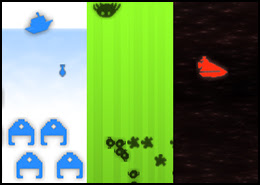 The ShooterZero.zip file over on my google pages page contains an XNA project that is a 2D shooter game framework.
The code describes a series of classes that together provide services that a shooter will need:
The implementation here is admittedly very slapdash for lack of time invested, but I believe the principal features of the kind of data driven system I'm trying to demonstrate are evident:
 The ShooterZero.zip file over on my google pages page contains an XNA project that is a 2D shooter game framework.
The code describes a series of classes that together provide services that a shooter will need:
- Resource management and a game loop with debugging functions (even a simple console!)
- An object model, where all elements of the game are Object Instances that are created from Object Definitions
- A scripting language to define the behaviour of Objects
- A set of services that the Object Instances can employ, e.g. intersection, rendering, input, etc.
- A parser that can create Object Definitions and Object Instances
The implementation here is admittedly very slapdash for lack of time invested, but I believe the principal features of the kind of data driven system I'm trying to demonstrate are evident:
- Game is setup with parameters read from a data file - one engine supports a variety of expressions by implementing common primitives.
- Objects in the game are defined using data driven templates, both properties and behaviors - data is parsed into logical collections of primitives.
- Object instances are created from data - separate structure from content.
- All the Data is reloadable at runtime - faster iteration time when it comes to implementing content.
Sunday, January 28, 2007
Data Driven Game Architecture
 You hear the term "data driven" bandied about reasonably often in gaming tech circles. Why is this? Here I'll present a summary of my experiences in the matter.
Goals:
- Laziness. We want to write the least amount of code to deal with each instance of a feature of our game. Why on earth write a whole class for a new bad guy if we can get away with a bit of data instead?
- Laziness part 2, or maintainability. As a consequence of laziness, we want to end up with the most compact form and the least possibility for errors in our instances.
- Quick iteration. Reloading a bit of data in a running game is much quicker than compiling and restarting. We want to spend time on the game, not the structure.
- Encapsulation. Games change during development, usually quite a lot. Data is easy to add and remove from projects whereas code can all to easily get entrenched.
- Devolution of responsibility. The power to actually carry out game implementation begins in the hands of the programmer, but not all aspects of implementations belong there. Data, and tools to edit said data, let you shunt that power to whomever requires it.
Bonuses:
- Better modularity. We end up partitioning functionality in our code more naturally when we're thinking data driven. As a result, you're also more likely to get recyclable code for next time.
- Easier serialisation. Writing your save game module can be made easier by a nicely data driven framework: the data to save is usually easily found and easy to mark out.
How to go about it?
- For a given feature in your game, collect a definition that encompasses all instances of the feature. For example, if you're making an RPG you'll need NPCs. Each NPC might want to be able to engage in a conversation, query information from the world state, be able to retain and be queried on its state, etc.
- Figure out what portions of your definition will be the variables between your instances, e.g. each NPC will have a different name, a different description, a different storyline, etc.
- Figure out what sort of data will best facilitate describing those variables.
- Start out right! If you already know you'll need this, invest in the time to get it right. Sure you can hack in something hard coded to start with, but you'll later pay the price in lost momentum when you least want to.
There are two broad divisions on methods of data driving a game.
- On the one hand, we have the simple property bag. This is passive data that simply sets up a few variables for game objects. Simple RPG weapons, for instance, where each definition is a name, a description, damage information and some art resource references. My preference for this sort of data is a nice XML file. XML is robust and easy to parse, there are plenty of decent raw XML tools to leverage (especially if you write a schema to go with it), and there are plenty of mature XML code libraries to work with. That last part is particularly important as it makes a painless transition to a binary format, should it prove necessary, trivial. XML isn't perfect, but it's easy and it's there.
- On the other hand we have the more complex behavior bag. This is an extension of the property bag where we also add some scripted behavior specialisations to each of our instances. Enemies in a shooter for instance: where each enemy is defined with some art resource references, and callbacks that contain code fragments to describe their AI. There are a lot of ways to implement this, a virtual cornucopia of choices. You have all manner of embeddable scripting languages like Python or Lua that are quite mature now, and plenty of experimental smaller ones if that's your bag. Depending on your exact requirements, rolling your own might even be an option. There's a lot to say for domain specific languages.
Things to watch out for.
- Don't get carried away. Do your homework first, and make sure that you really do need to data drive a feature. There is some overhead to pay in terms of implementation time, and it's not a cost worth paying if all you'll do with it is define the one instance that never changes!
- Remember performance. You should absolutely be willing to pay some performance decrease in exchange for data driving, as obviously you're trading that for a quality upgrade from the faster design iteration. Be careful not to be disastrously generous with this trade though; as with all things be pragmatic about the end result. Above all do not fall into the "we'll fix it later" performance trap. The industry is littered with horror stories where teams have leaned on a scripting language only to spend half a year backpedaling out of it to get the frame rate back to 30, or get the memory footprint back down to the release configuration.
- Beware the lure of generic! When building your data driven system, it is intuitively tempting to continue to generalise the implementation. In fact, as you continue to work, you'll keep getting struck with "Hey, this is just a slight specialisation on that other thing!" Be careful here! All problems in your game are implementable in an ultimately generic structure: the programming language you're writing the game in. Hold fast to the idea that what you're doing is in fact specifying groups of solutions to remove the redundancy of implementing their variations generically! In other words: if you end up embedding a scripting language into your C++ game and then writing nothing else but script for every feature of the game... all you've done is swapped programming languages. This is not necessarily bad (and possibly a topic for another time), but it's not an action towards the ideal we're discussing here.
- Continuously evaluate where you are. The whole point here is that you're optimising how you write the game. If you end up haemorrhaging more time than you otherwise would have, you've made the wrong choice. Often it's too late to back out, but learn all you can from the experience.
Sunday, January 14, 2007
XNA game structure thoughts
I've seen a few posts and articles around the net with recommendations on how to structure an XNA game, for example this great post at Cornflower Blue.
Most of these revolve around the same idea of building an own rolled Game Component collection class as the backbone for your game's partitioning, e.g. Startup:GCCollection, LevelSelect:GCCollection, InGame:GCCollection, HUD:GCCollection and so on. The collection usually implements at least Update and Draw, propagating the calls through the internal collection, and in most cases is actually derived from Game Component its self.
I'd like to propose a slightly different approach.
Back to the original reasoning for the problem:
These definitely seem to point at having a collection class around to hold the groupings, but here's where I diverge: why do more than the problem requires? Why reimplement Update and Draw iteration over the collection, and in the process actually lose the Order and DrawOrder functionality? Who's to say you won't want these interleaved between the partitions, e.g. Portions of the HUD group rendering and updating in between portions of the game world group?
What I reckon we really need is just a collection through which to issue orders to all its members. We're looking for more of a set really. So I propose something like the following:
With a few of these we can manage our logical partitions as groups, but we don't chuck the functionality that is hidden away inside the Game class.
While Activate and Deactivate are pretty plain here, they serve as entry points for all manner of verification. For instance in Activate, you could check to see if the component is already in the game's Component Collection, and deal with the situation as you see fit, effectively adding in a bit of late checking to see if a Game Component is mistakenly in two sets at once.
Specific to each game, we could add other registration functions and properties here as well, e.g. RegisterPhysics to add all the Game Components to your physics manager, or RegisterUI to pass them onto your UI manager. Obvious additions would be the Game Component Enabled and Visible properties. Sure they may end up as just simple function/property wrappers around foreach loops, but as with the above Activate sample, it's always handy to bottleneck this sort of thing just in case you need to address it later.
Clearly we can also derive from GameComponentSet and make specific versions, e.g. UIGameComponentSet, PhysicalGameComponentSet, AIDrivenGameComponentSet, and so on.
Confession: The above simple sample deriving from List<>, while serving as an easy illustration, isn't entirely robust. The problem lies in the being able to change the collection after you've called Activate. Further evolution of this class would probably want to hide the collection implementation internally, and validate for this.
The only problem we face now is how to control the unloading of graphics content for our sets. Frankly, I have no clue how this is supposed to work. The function its self is not public, and it seems that the only way to invoke it is to lose the graphics adapter. I've taken to adding my own public interface addition to classes derived from DrawableGameComponent to chain the call over to the protected version. If anyone knows how this is meant to function, could you please shed some light here?
Finally, while admittedly it is more runtime work to add and remove all the members of the list individually rather than enabling or disabling a single entry point to them, bear in mind that the cost should still be really small, and rarely paid: how often do you reckon you'll want to turn entire modes on and off! For smaller sets, the difference should be so small, that its perfectly viable to use the same scheme more often, e.g. for HUD mode changes like overhead map on/off.
Most of these revolve around the same idea of building an own rolled Game Component collection class as the backbone for your game's partitioning, e.g. Startup:GCCollection, LevelSelect:GCCollection, InGame:GCCollection, HUD:GCCollection and so on. The collection usually implements at least Update and Draw, propagating the calls through the internal collection, and in most cases is actually derived from Game Component its self.
I'd like to propose a slightly different approach.
Back to the original reasoning for the problem:
- XNA games want to stick to the Game class's methodology, i.e. Initialise, get LoadGraphicsContent and UnloadGraphicsContent called at the right times including any adapter malarkey, make sure Load is called before Draw, and conversely that Draw is never called when unloaded.
- The most obvious and arguably the easiest way to do this is to implement Game Components. Bonus: sticking to Game Components should make code more recyclable!
- Games tend to be easy to partition, usually with pretty huge chunks belonging naturally with each other, e.g. the level select screen's background and OK button belong together, while neither appears when a game is in progress.
- Micro managing each Game Component would suck. Adding and removing each at every transition is error prone, and there may be any number of other operations that need to be done to them as a group that would similarly suffer.
These definitely seem to point at having a collection class around to hold the groupings, but here's where I diverge: why do more than the problem requires? Why reimplement Update and Draw iteration over the collection, and in the process actually lose the Order and DrawOrder functionality? Who's to say you won't want these interleaved between the partitions, e.g. Portions of the HUD group rendering and updating in between portions of the game world group?
What I reckon we really need is just a collection through which to issue orders to all its members. We're looking for more of a set really. So I propose something like the following:
class GameComponentSet : List<GameComponent>
{
GameComponentSet( Game game )
{
this.game = game;
}
private Game game;
public void Activate()
{
foreach ( GameComponent g in this )
game.Components.Add( g );
}
public void Deactivate()
{
foreach ( GameComponent g in this )
game.Components.Remove( g );
}
}
With a few of these we can manage our logical partitions as groups, but we don't chuck the functionality that is hidden away inside the Game class.
While Activate and Deactivate are pretty plain here, they serve as entry points for all manner of verification. For instance in Activate, you could check to see if the component is already in the game's Component Collection, and deal with the situation as you see fit, effectively adding in a bit of late checking to see if a Game Component is mistakenly in two sets at once.
Specific to each game, we could add other registration functions and properties here as well, e.g. RegisterPhysics to add all the Game Components to your physics manager, or RegisterUI to pass them onto your UI manager. Obvious additions would be the Game Component Enabled and Visible properties. Sure they may end up as just simple function/property wrappers around foreach loops, but as with the above Activate sample, it's always handy to bottleneck this sort of thing just in case you need to address it later.
Clearly we can also derive from GameComponentSet and make specific versions, e.g. UIGameComponentSet, PhysicalGameComponentSet, AIDrivenGameComponentSet, and so on.
Confession: The above simple sample deriving from List<>, while serving as an easy illustration, isn't entirely robust. The problem lies in the being able to change the collection after you've called Activate. Further evolution of this class would probably want to hide the collection implementation internally, and validate for this.
The only problem we face now is how to control the unloading of graphics content for our sets. Frankly, I have no clue how this is supposed to work. The function its self is not public, and it seems that the only way to invoke it is to lose the graphics adapter. I've taken to adding my own public interface addition to classes derived from DrawableGameComponent to chain the call over to the protected version. If anyone knows how this is meant to function, could you please shed some light here?
Finally, while admittedly it is more runtime work to add and remove all the members of the list individually rather than enabling or disabling a single entry point to them, bear in mind that the cost should still be really small, and rarely paid: how often do you reckon you'll want to turn entire modes on and off! For smaller sets, the difference should be so small, that its perfectly viable to use the same scheme more often, e.g. for HUD mode changes like overhead map on/off.
Saturday, January 06, 2007
Mooncasting: First mechanics!
Joy!
Just before I pop out of town for a week's holiday, I get to spend a day on my own toys. Life is good.
So I'm motoring along on this Mooncast project. Since the last post on the subject, I've written most of the main mechanics. The video illustrates the following:
* Buildings UI.
* Castle spawning plebs (here cheated to take no time for speed of demonstration).
* Plebs being reassigned to different buildings.
* Effect of staffing on the firing speed of cannons.
* Effect on fog of sending out scouts from the aviary.
* Blowing enemy buildings up!
Next task is to spend some time on the flow, i.e. start screen, begin, middle, end. Need to pay particular attention to the progress reporting while in game. I reckon that the right side of the screen will have mini icons for enemy buildings that have been spotted and nuked.
A note on the XNA so far: still loving it. Nothing has gotten in the way, and C# continues to be lovingly supportive. There are quite a few omissions in the XNA libs, but compared to all that has come before, this is a massive step forward.
Oh! And note: the music in the background of the video is the most excellent "One Thousand Tears of A Tarantula" by Dengue Fever. Absolutely music to code by.
Thursday, December 28, 2006
Hello, XNA
So I've been writing tools in C# for building games for almost two years now, but I've not really attempted to write a game there yet. I had a brief flirt with MDX for the novelty of it, but without being able to use it at work I just haven't been able to find the time. A bit of time to myself and the launch of XNA though, has prompted me to finally investigate.
Turns out, XNA is wonderful.
To start with what I know: C# is ace. It's a reasonably clean language that in the MS implementation comes with a great set of libraries (.Net). It's easy to learn, easy to read and easy to debug. Not to mention the built in honest to goodness reflection. Man, does that come in handy.
What a joy to find that a good chunk of that stuff shows up in the XNA Framework as well. For the uninitiated, the XNA Framework (based, as I understand it, on the Compact Framework) is the cut down version of the full .Net libraries designed to run on both Windows and the XBox 360. The plan is that if you stick to these bits, you should be able to run your game on the 360 with just a recompile. If you're resolutely windows bound though, you're free to additionally use any other libraries that strike your fancy.
Getting into the actual game libs, XNA provides runtime managed wrappers for DirectX graphics, input handling, audio playback, and some other miscellaneous bits and bobs. My experience so far with the graphics portion has been sublime. Not only is it laid out in a wonderfully clean and concise manner, but the performance hasn't been shabby at all. Given the overall advantages of working in managed code, I can happily see developing a game this way.
Offline, XNA also provides a content pipeline for organising your data builds. Constructed as a Visual Studio plugin, the content pipeline does the usual dependency checked source to binary platform target conversions. The system is designed to take plugins for each conversion type, and comes with standard converters for .x, .fbx, model files .fx effect files and a brace of standard image files. These default plugins worked well enough, and I had practically plug and play data out of 3D Studio Max in no time.
There's plenty still missing, but if this is version 1 then I'm happy to invest the belief that it'll come eventually. Following is my initial laundry list of missing XNA bits and bobs:
No, I think where XNA really lives, for us devs anyway, is in promises for the future. If Microsoft can demonstrate that they're in it for the long haul, then they might win over the more staid among us when it's time to upgrade from our current setups.
Then perhaps I'll finally get to write some runtime managed code!
Turns out, XNA is wonderful.
To start with what I know: C# is ace. It's a reasonably clean language that in the MS implementation comes with a great set of libraries (.Net). It's easy to learn, easy to read and easy to debug. Not to mention the built in honest to goodness reflection. Man, does that come in handy.
What a joy to find that a good chunk of that stuff shows up in the XNA Framework as well. For the uninitiated, the XNA Framework (based, as I understand it, on the Compact Framework) is the cut down version of the full .Net libraries designed to run on both Windows and the XBox 360. The plan is that if you stick to these bits, you should be able to run your game on the 360 with just a recompile. If you're resolutely windows bound though, you're free to additionally use any other libraries that strike your fancy.
Getting into the actual game libs, XNA provides runtime managed wrappers for DirectX graphics, input handling, audio playback, and some other miscellaneous bits and bobs. My experience so far with the graphics portion has been sublime. Not only is it laid out in a wonderfully clean and concise manner, but the performance hasn't been shabby at all. Given the overall advantages of working in managed code, I can happily see developing a game this way.
Offline, XNA also provides a content pipeline for organising your data builds. Constructed as a Visual Studio plugin, the content pipeline does the usual dependency checked source to binary platform target conversions. The system is designed to take plugins for each conversion type, and comes with standard converters for .x, .fbx, model files .fx effect files and a brace of standard image files. These default plugins worked well enough, and I had practically plug and play data out of 3D Studio Max in no time.
There's plenty still missing, but if this is version 1 then I'm happy to invest the belief that it'll come eventually. Following is my initial laundry list of missing XNA bits and bobs:
- Animation. Preferably built in such a way that makes animation compatible with but not limited to models. Reasoning for this is that data over time can be rather useful for any number of things besides moving an articulated skeleton of bones. A channel based architecture, I'd wager, would be appropriate. Bonus points for supporting some generic form of triggering data as well, e.g. sound triggers.
- Game Structure. The current Game class takes away a lot of the tedium associated with starting up a robust directX window (actually, amazingly so. Hello XNA World is an astonishingly small amount of code), but it doesn't really point much in the way of game structure. It would be nice to see, if only as good practice examples, modules from Microsoft for graphics scenes/contexts, state machines, etc.
- UI. There are only so many ways to build the back end code for a UI system. I know, I've written a few myself. I've yet to see any really compelling reasons to pick one over the other, and frankly if any of them were available off the shelf I'd jump at using it. Microsoft have already built the great Forms system for Windows programming, I'd love to see them apply some magic to game UIs.
- Online Support. Nothing in the XNA about playing online yet.
No, I think where XNA really lives, for us devs anyway, is in promises for the future. If Microsoft can demonstrate that they're in it for the long haul, then they might win over the more staid among us when it's time to upgrade from our current setups.
Then perhaps I'll finally get to write some runtime managed code!
Subscribe to:
Posts (Atom)