Showing posts with label xna. Show all posts
Showing posts with label xna. Show all posts
Thursday, March 01, 2007
Let There Be Cowbell
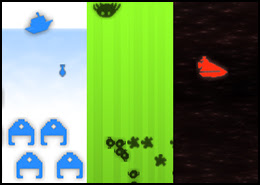
As promised, here's a look at a few pretties. We have a level segment with a new palette, and a new badguy, the froggy. These are the entry level badguys, so they don't put up much of a fight. Still blow up nice though.
I've also snuck in the healing item in the game: mushrooms.
So, coming on from last time's discussion of mesh animation, this update shows more examples of it. All the effects and character animations are done in the mesh animation manner, and hopefully to a consistent style. I still like it, still planning on writing a more efficient Content Pipeline plugin to pack them for me.
The art style is still holding together, I think. There's enough range in it, that I think I can cover all the locales I'm thinking of, and the gradient in the character of the environments I hope to depict over the story. I wish I had some time to sit down and concept out, but honestly at this point it's more profitable to just plow along. It takes an hour or so to model a new badguy. Bouncing back and forth between code and art (ignoring the vertigo), it was about 5 hours to get the frogs up and running from scratch. It's still a discovery process though, so I'm not too hung up on polishing yet. Getting everything working is first priority.
I have the design for the first level laid out now. It happens entirely underground, in a Zelda like dungeon configuration, complete with boss character. I'll stay focused on getting that done before moving on with any other portion of the game. I'm considering putting it up for public download at that point, to get a little feedback on how it feels.
Depends, really, on how embarrassing the whole thing is by then.
Before anyone asks, there's nothing clever about the cave scene. Reflections are the good old fashioned "render everything upside down", and the caustics are nothing more than a bit of fancy texture scrolling, where the x component is a sin wave on the y component. Sometimes, you just don't need clever to be fancy.
I'll be moving home for the next few weeks, so this might be my last post for a while. On the bright side: I'll be getting some new gear when I get to my new place, so perhaps I'll get around to trying some of those clever bits. At present, this PC is pretty much nipping at the limits of its little NVidia Ti4400 graphics card!


Tuesday, February 27, 2007
Zap! Pow! Biff!
A few things have happened since last time:
- I now have the different firing modes in place. Each of Tad's (Tad, his name is Tad for now) weapons have 3 firing modes: tap for a quick shot, hold and release for a "shotgun" and hold for a while for a berserk blast. The fire gem has all 3 working now.
- Added support for a bigger variety of effects. Mean, mean friends were saying it just wasn't pretty enough.
- Built a cave environment.
- Made froggies.
The vid above shows the attack modes. I'll post another soon with the new pretties.
I think I've reached the limits of the built in content pipeline plugins and it's time to branch out. As soon as I hit another wall, I'm off to write my own importers and processors.
I've grown to like mesh animation. It's crude, but appealing to me. Normally you'd rough out an animation by defining key poses along the timeline, then iteratively pass over the whole thing again and again adding overlapping motions and follow through to get a natural looking motion. Animating on a budget generally means animating pose to pose, and leaving it at that, and rightly enough that suits the mesh animation look better. I simply model the poses I require (using skinning in Max, if it's a complex mesh like Tad), then string them along a timeline in Stutter, duplicating appropriate hold frames.
With my own content processors, I could pack all those mesh frames into the minimum amount of data necessary, and the overhead should be pretty reasonable. Especially as I'm going low poly anyway. Certainly the runtime processing cost is laughably small compared to a skeletal animation.
Live scripting language is absolutely the bomb. Almost all of the logic bar collision is written in Stutter now, and the joy of being able to write player control while actually in the game is intoxicating. It would be quite a bit more work to get a professionally robust version going, but I think I'm going to start recommending it anywhere I work. It's just so worth it. I just need to see if there's some easy way to hook up live asset reloading (in this XNA version) as well. As it is, adding/changing assets still requires me to drop out and rebuild in VS.
In case anyone is wondering why bother with the XNA and C# when I'm off traipsing through my own language... how on earth do you think I got it all up and running so quickly? I'm still well inside month one, and I have the whole kit and kaboodle chugging along. In fact, I had a model on screen, being manipulated by Stutter inside the first few days. This is a product of C# and .Net's excellent reflection abilities coupled with the accessible nature of the XNA libs in GSE. All I've done is written a layer of abstraction above these that lets me speak directly to game concepts.
GLH out.
PS Music for the vid is by Cornelius (god please please please someone make him write music for games), the track's name is "2010".
Friday, February 23, 2007
Baby lisp
So the rpg has come on a little bit. I really ought to come up with a name at some point. For now, it stays RPG Zero.
New since the last update:
- Tried to refine the look of the thing. I'm going primary colours, sharp contrasts, simple forms, abstract surfaces and everything easy to put together quickly. Also leaning a lot on vertex colouring for the low frequency shifts.
- Our protagonist can now be hit by badguys, and keeps track of his health.
- First blush at a HUD, and UI framework to back it up.
- A chest! What's an RPG without a treasure chest, eh?
- Refactored the player control to remove some annoying kinks, like sliding while idling.
- Wrote a *secret* story outline!

Seem oddly familiar? It's not really lisp, but it does share some characteristics with it. Chiefly: code is data. I can pass it around, chop and change it, store it and call it later. The scripting language is interpreted, which means it inherently has the ability to inject novel code into the currently running session. Godsend that, when working on a game. No compile waits, you're right there, in the game, where you can see what you're doing immediately.
It's called Stutter.
It's implemented as a runtime interpreter that is plugged into a reflection based dispatcher. I have a class that contains all the intrinsic functions. I then have a few intrinsics for dealing with .Net types directly, cnew (new a C# object), cset and cget (set/get properties or fields) and call (invoke a C# function). These are for... well cheating. My character entity for instance, is a C# based PhysicalObject, that gets initialised and bandied about by Stutter, but lives in the Game.Components update loop.
Why not real lisp? Well, I couldn't find a handy implementation, and I've still a lot to learn about building and implementing the support for an embedded language, so it seemed like the right time to learn. And the right time to experiment. I've taken the things I like about lisp, and screwed around with the formula to give me the things I've always wanted for games. Will it work? Will it be fast enough? Will it be expressive enough? Who knows? That's the whole point of trying.
I did mention this whole thing is one big bout of self indulgence, didn't I?
P.S. Today's vid is higher res than the last one, so you might want to click on over to the bigger Google Video player to see it. Today's music is Billy Bragg and Natalie Merchant doing Way Over Yonder in the Minor Key. Totally love that tune.
Tuesday, February 20, 2007
RPG Zero: Another Start
So Ultrahead, over at Do as I say, not as I do... in a comment conversation reminded me that I've always wanted to make an RPG. Abandoning all the other toys (I have a habit of doing that), I've decided to embark on the adventure.
When I started writing about game programming here last month, I really did want to practice a little altruism and share some stuff with the community. I'm afraid the vanity levels on this project however, make it wholly unsuitable to share as good practice. The sheer self indulgence in the code should warn people away. I really can't in good conscience recommend anyone learn anything from this... the scripting language is an own rolled, interpreted, prefix notated, reflection driven nightmare for pete's sake!
I would like to share though. So if anyone is interested in watching, I'll post the goings on in my RPG land.
I thank you for your patronage,
GLH.
Wednesday, January 31, 2007
Shooter Zero: A data driven sample
So, in the last programming post I tried to dump what I know about data driven architecture onto a rather dense page. Here I'd like to share with you a sample application that might shed some light on what I was trying to say.
 The ShooterZero.zip file over on my google pages page contains an XNA project that is a 2D shooter game framework.
The code describes a series of classes that together provide services that a shooter will need:
The implementation here is admittedly very slapdash for lack of time invested, but I believe the principal features of the kind of data driven system I'm trying to demonstrate are evident:
 The ShooterZero.zip file over on my google pages page contains an XNA project that is a 2D shooter game framework.
The code describes a series of classes that together provide services that a shooter will need:
- Resource management and a game loop with debugging functions (even a simple console!)
- An object model, where all elements of the game are Object Instances that are created from Object Definitions
- A scripting language to define the behaviour of Objects
- A set of services that the Object Instances can employ, e.g. intersection, rendering, input, etc.
- A parser that can create Object Definitions and Object Instances
The implementation here is admittedly very slapdash for lack of time invested, but I believe the principal features of the kind of data driven system I'm trying to demonstrate are evident:
- Game is setup with parameters read from a data file - one engine supports a variety of expressions by implementing common primitives.
- Objects in the game are defined using data driven templates, both properties and behaviors - data is parsed into logical collections of primitives.
- Object instances are created from data - separate structure from content.
- All the Data is reloadable at runtime - faster iteration time when it comes to implementing content.
Sunday, January 14, 2007
XNA game structure thoughts
I've seen a few posts and articles around the net with recommendations on how to structure an XNA game, for example this great post at Cornflower Blue.
Most of these revolve around the same idea of building an own rolled Game Component collection class as the backbone for your game's partitioning, e.g. Startup:GCCollection, LevelSelect:GCCollection, InGame:GCCollection, HUD:GCCollection and so on. The collection usually implements at least Update and Draw, propagating the calls through the internal collection, and in most cases is actually derived from Game Component its self.
I'd like to propose a slightly different approach.
Back to the original reasoning for the problem:
These definitely seem to point at having a collection class around to hold the groupings, but here's where I diverge: why do more than the problem requires? Why reimplement Update and Draw iteration over the collection, and in the process actually lose the Order and DrawOrder functionality? Who's to say you won't want these interleaved between the partitions, e.g. Portions of the HUD group rendering and updating in between portions of the game world group?
What I reckon we really need is just a collection through which to issue orders to all its members. We're looking for more of a set really. So I propose something like the following:
With a few of these we can manage our logical partitions as groups, but we don't chuck the functionality that is hidden away inside the Game class.
While Activate and Deactivate are pretty plain here, they serve as entry points for all manner of verification. For instance in Activate, you could check to see if the component is already in the game's Component Collection, and deal with the situation as you see fit, effectively adding in a bit of late checking to see if a Game Component is mistakenly in two sets at once.
Specific to each game, we could add other registration functions and properties here as well, e.g. RegisterPhysics to add all the Game Components to your physics manager, or RegisterUI to pass them onto your UI manager. Obvious additions would be the Game Component Enabled and Visible properties. Sure they may end up as just simple function/property wrappers around foreach loops, but as with the above Activate sample, it's always handy to bottleneck this sort of thing just in case you need to address it later.
Clearly we can also derive from GameComponentSet and make specific versions, e.g. UIGameComponentSet, PhysicalGameComponentSet, AIDrivenGameComponentSet, and so on.
Confession: The above simple sample deriving from List<>, while serving as an easy illustration, isn't entirely robust. The problem lies in the being able to change the collection after you've called Activate. Further evolution of this class would probably want to hide the collection implementation internally, and validate for this.
The only problem we face now is how to control the unloading of graphics content for our sets. Frankly, I have no clue how this is supposed to work. The function its self is not public, and it seems that the only way to invoke it is to lose the graphics adapter. I've taken to adding my own public interface addition to classes derived from DrawableGameComponent to chain the call over to the protected version. If anyone knows how this is meant to function, could you please shed some light here?
Finally, while admittedly it is more runtime work to add and remove all the members of the list individually rather than enabling or disabling a single entry point to them, bear in mind that the cost should still be really small, and rarely paid: how often do you reckon you'll want to turn entire modes on and off! For smaller sets, the difference should be so small, that its perfectly viable to use the same scheme more often, e.g. for HUD mode changes like overhead map on/off.
Most of these revolve around the same idea of building an own rolled Game Component collection class as the backbone for your game's partitioning, e.g. Startup:GCCollection, LevelSelect:GCCollection, InGame:GCCollection, HUD:GCCollection and so on. The collection usually implements at least Update and Draw, propagating the calls through the internal collection, and in most cases is actually derived from Game Component its self.
I'd like to propose a slightly different approach.
Back to the original reasoning for the problem:
- XNA games want to stick to the Game class's methodology, i.e. Initialise, get LoadGraphicsContent and UnloadGraphicsContent called at the right times including any adapter malarkey, make sure Load is called before Draw, and conversely that Draw is never called when unloaded.
- The most obvious and arguably the easiest way to do this is to implement Game Components. Bonus: sticking to Game Components should make code more recyclable!
- Games tend to be easy to partition, usually with pretty huge chunks belonging naturally with each other, e.g. the level select screen's background and OK button belong together, while neither appears when a game is in progress.
- Micro managing each Game Component would suck. Adding and removing each at every transition is error prone, and there may be any number of other operations that need to be done to them as a group that would similarly suffer.
These definitely seem to point at having a collection class around to hold the groupings, but here's where I diverge: why do more than the problem requires? Why reimplement Update and Draw iteration over the collection, and in the process actually lose the Order and DrawOrder functionality? Who's to say you won't want these interleaved between the partitions, e.g. Portions of the HUD group rendering and updating in between portions of the game world group?
What I reckon we really need is just a collection through which to issue orders to all its members. We're looking for more of a set really. So I propose something like the following:
class GameComponentSet : List<GameComponent>
{
GameComponentSet( Game game )
{
this.game = game;
}
private Game game;
public void Activate()
{
foreach ( GameComponent g in this )
game.Components.Add( g );
}
public void Deactivate()
{
foreach ( GameComponent g in this )
game.Components.Remove( g );
}
}
With a few of these we can manage our logical partitions as groups, but we don't chuck the functionality that is hidden away inside the Game class.
While Activate and Deactivate are pretty plain here, they serve as entry points for all manner of verification. For instance in Activate, you could check to see if the component is already in the game's Component Collection, and deal with the situation as you see fit, effectively adding in a bit of late checking to see if a Game Component is mistakenly in two sets at once.
Specific to each game, we could add other registration functions and properties here as well, e.g. RegisterPhysics to add all the Game Components to your physics manager, or RegisterUI to pass them onto your UI manager. Obvious additions would be the Game Component Enabled and Visible properties. Sure they may end up as just simple function/property wrappers around foreach loops, but as with the above Activate sample, it's always handy to bottleneck this sort of thing just in case you need to address it later.
Clearly we can also derive from GameComponentSet and make specific versions, e.g. UIGameComponentSet, PhysicalGameComponentSet, AIDrivenGameComponentSet, and so on.
Confession: The above simple sample deriving from List<>, while serving as an easy illustration, isn't entirely robust. The problem lies in the being able to change the collection after you've called Activate. Further evolution of this class would probably want to hide the collection implementation internally, and validate for this.
The only problem we face now is how to control the unloading of graphics content for our sets. Frankly, I have no clue how this is supposed to work. The function its self is not public, and it seems that the only way to invoke it is to lose the graphics adapter. I've taken to adding my own public interface addition to classes derived from DrawableGameComponent to chain the call over to the protected version. If anyone knows how this is meant to function, could you please shed some light here?
Finally, while admittedly it is more runtime work to add and remove all the members of the list individually rather than enabling or disabling a single entry point to them, bear in mind that the cost should still be really small, and rarely paid: how often do you reckon you'll want to turn entire modes on and off! For smaller sets, the difference should be so small, that its perfectly viable to use the same scheme more often, e.g. for HUD mode changes like overhead map on/off.
Saturday, January 06, 2007
Mooncasting: First mechanics!
Joy!
Just before I pop out of town for a week's holiday, I get to spend a day on my own toys. Life is good.
So I'm motoring along on this Mooncast project. Since the last post on the subject, I've written most of the main mechanics. The video illustrates the following:
* Buildings UI.
* Castle spawning plebs (here cheated to take no time for speed of demonstration).
* Plebs being reassigned to different buildings.
* Effect of staffing on the firing speed of cannons.
* Effect on fog of sending out scouts from the aviary.
* Blowing enemy buildings up!
Next task is to spend some time on the flow, i.e. start screen, begin, middle, end. Need to pay particular attention to the progress reporting while in game. I reckon that the right side of the screen will have mini icons for enemy buildings that have been spotted and nuked.
A note on the XNA so far: still loving it. Nothing has gotten in the way, and C# continues to be lovingly supportive. There are quite a few omissions in the XNA libs, but compared to all that has come before, this is a massive step forward.
Oh! And note: the music in the background of the video is the most excellent "One Thousand Tears of A Tarantula" by Dengue Fever. Absolutely music to code by.
Saturday, December 30, 2006
A word on XNA performance from the horse's mouth
Curious to know which bits of information on managed code performance on the 360 are FUD versus truth? The .Net Compact Framework Team's blog has a 2 parter on performance considerations on the beast.
There are some interesting tidbits on where the XNA and the standard Compact Framework diverge. Shame that it doesn't yet take advantage of the Altivec stuff, but oh well.
They mention memory management, of course. I'm still of the opinion that the best way to minimise the effect of memory allocation/deallocation on your game's frame rate is the same way to minimise the effect of anything on your frame rate: don't do it. Allocate what you need at the start of the most convenient logical block you have (game start, level start, etc) and recycle. No sense in deallocating a bad guy when it dies if you'll just need another in a few seconds!
As a bonus, the nice chaps at the .Net CF blog also link off to what they consider to be good advise on managed code performance in general.
All very much worth taking note of.
There are some interesting tidbits on where the XNA and the standard Compact Framework diverge. Shame that it doesn't yet take advantage of the Altivec stuff, but oh well.
They mention memory management, of course. I'm still of the opinion that the best way to minimise the effect of memory allocation/deallocation on your game's frame rate is the same way to minimise the effect of anything on your frame rate: don't do it. Allocate what you need at the start of the most convenient logical block you have (game start, level start, etc) and recycle. No sense in deallocating a bad guy when it dies if you'll just need another in a few seconds!
As a bonus, the nice chaps at the .Net CF blog also link off to what they consider to be good advise on managed code performance in general.
All very much worth taking note of.
Friday, December 29, 2006
Mooncasting, the design
 In order to explore the XNA and get a real feel for trying to write a game with it, I've spent the last few days trying to work up a little prototype. The working title for it is Mooncast.
The gameplay is battleship meets a cut down RTS affair. You start on one continent, with a castle and a pair of plebs. Your goal is to take out the opponent's castle on the other continent. At the start of the game, you cannot see the opponent's units.
You can build a number of additional buildings, command them to take actions, and move them around. All of this requires the efforts of plebs, which you can assign to support duty at the building level. The more plebs, the more efficiently the action is performed, e.g. the faster a building moves, or a cannon fires.
Available buildings so far are:
- The Castle, births new plebs
- The Cannon, fires meteors
- The Aviary, despatches scout
birdsflying monkeys - The Watchtower, shoots down scout
birdsflying monkeys - The Hut, births new plebs at a better rate than the castle
- The Shield Generator, takes damage instead of a single other building
- The Black Widow, despatches burrowing spiders to attack opponent plebs
- The Wasp Nest, despatches wasps in response to spiders
- Armageddon, a super cannon with much longer recharge time
- The Eye of Ra, a satellite that allows the player to see enemy cannon launches (would demote normal visibility to line of sight from towers and castle)
- Hathor's Gouge, a rocket that takes out the Eye of Ra.
Each building can be attended to by as many workers as the player wishes.
Each building can only do one thing at a time, including moving.
Each building has a health attribute. It cannot be replenished. When a building's health is depleted, it is destroyed.
Game flow goes as such:
- Preamble: player must select starting triangle for his castle to occupy.
- Play starts
- Player may select any available building and command it to move
- Or player may select any available building and command it to perform its action. This may involve selecting a target location/s on the map.
- Or player may drag and drop worker icons from their current post to any other available building.
- Or player may select to build a new building.
- Meanwhile, buildings continue to simulate either being built, idling, moving, performing their action, or receiving damage.
- Repeat from 3 until either player's castle is destroyed.
- The Map. Imported as a triangle mesh and parsed for efficiency into an easily traversable graph structure, then unwound into vertex buffers for rendering the solid display and wire frame overlay. The map is aware of terrain type and player ownership.
- Base unit class, with knowledge of the Map and how to traverse it.
- Placeholder art in for the map, background, buildings and little workers.
- Projectile class, with rudimentary collision.
- UI system class, and a building widget.
- Oh, and a cursor!
Thursday, December 28, 2006
Hello, XNA
So I've been writing tools in C# for building games for almost two years now, but I've not really attempted to write a game there yet. I had a brief flirt with MDX for the novelty of it, but without being able to use it at work I just haven't been able to find the time. A bit of time to myself and the launch of XNA though, has prompted me to finally investigate.
Turns out, XNA is wonderful.
To start with what I know: C# is ace. It's a reasonably clean language that in the MS implementation comes with a great set of libraries (.Net). It's easy to learn, easy to read and easy to debug. Not to mention the built in honest to goodness reflection. Man, does that come in handy.
What a joy to find that a good chunk of that stuff shows up in the XNA Framework as well. For the uninitiated, the XNA Framework (based, as I understand it, on the Compact Framework) is the cut down version of the full .Net libraries designed to run on both Windows and the XBox 360. The plan is that if you stick to these bits, you should be able to run your game on the 360 with just a recompile. If you're resolutely windows bound though, you're free to additionally use any other libraries that strike your fancy.
Getting into the actual game libs, XNA provides runtime managed wrappers for DirectX graphics, input handling, audio playback, and some other miscellaneous bits and bobs. My experience so far with the graphics portion has been sublime. Not only is it laid out in a wonderfully clean and concise manner, but the performance hasn't been shabby at all. Given the overall advantages of working in managed code, I can happily see developing a game this way.
Offline, XNA also provides a content pipeline for organising your data builds. Constructed as a Visual Studio plugin, the content pipeline does the usual dependency checked source to binary platform target conversions. The system is designed to take plugins for each conversion type, and comes with standard converters for .x, .fbx, model files .fx effect files and a brace of standard image files. These default plugins worked well enough, and I had practically plug and play data out of 3D Studio Max in no time.
There's plenty still missing, but if this is version 1 then I'm happy to invest the belief that it'll come eventually. Following is my initial laundry list of missing XNA bits and bobs:
No, I think where XNA really lives, for us devs anyway, is in promises for the future. If Microsoft can demonstrate that they're in it for the long haul, then they might win over the more staid among us when it's time to upgrade from our current setups.
Then perhaps I'll finally get to write some runtime managed code!
Turns out, XNA is wonderful.
To start with what I know: C# is ace. It's a reasonably clean language that in the MS implementation comes with a great set of libraries (.Net). It's easy to learn, easy to read and easy to debug. Not to mention the built in honest to goodness reflection. Man, does that come in handy.
What a joy to find that a good chunk of that stuff shows up in the XNA Framework as well. For the uninitiated, the XNA Framework (based, as I understand it, on the Compact Framework) is the cut down version of the full .Net libraries designed to run on both Windows and the XBox 360. The plan is that if you stick to these bits, you should be able to run your game on the 360 with just a recompile. If you're resolutely windows bound though, you're free to additionally use any other libraries that strike your fancy.
Getting into the actual game libs, XNA provides runtime managed wrappers for DirectX graphics, input handling, audio playback, and some other miscellaneous bits and bobs. My experience so far with the graphics portion has been sublime. Not only is it laid out in a wonderfully clean and concise manner, but the performance hasn't been shabby at all. Given the overall advantages of working in managed code, I can happily see developing a game this way.
Offline, XNA also provides a content pipeline for organising your data builds. Constructed as a Visual Studio plugin, the content pipeline does the usual dependency checked source to binary platform target conversions. The system is designed to take plugins for each conversion type, and comes with standard converters for .x, .fbx, model files .fx effect files and a brace of standard image files. These default plugins worked well enough, and I had practically plug and play data out of 3D Studio Max in no time.
There's plenty still missing, but if this is version 1 then I'm happy to invest the belief that it'll come eventually. Following is my initial laundry list of missing XNA bits and bobs:
- Animation. Preferably built in such a way that makes animation compatible with but not limited to models. Reasoning for this is that data over time can be rather useful for any number of things besides moving an articulated skeleton of bones. A channel based architecture, I'd wager, would be appropriate. Bonus points for supporting some generic form of triggering data as well, e.g. sound triggers.
- Game Structure. The current Game class takes away a lot of the tedium associated with starting up a robust directX window (actually, amazingly so. Hello XNA World is an astonishingly small amount of code), but it doesn't really point much in the way of game structure. It would be nice to see, if only as good practice examples, modules from Microsoft for graphics scenes/contexts, state machines, etc.
- UI. There are only so many ways to build the back end code for a UI system. I know, I've written a few myself. I've yet to see any really compelling reasons to pick one over the other, and frankly if any of them were available off the shelf I'd jump at using it. Microsoft have already built the great Forms system for Windows programming, I'd love to see them apply some magic to game UIs.
- Online Support. Nothing in the XNA about playing online yet.
No, I think where XNA really lives, for us devs anyway, is in promises for the future. If Microsoft can demonstrate that they're in it for the long haul, then they might win over the more staid among us when it's time to upgrade from our current setups.
Then perhaps I'll finally get to write some runtime managed code!
Subscribe to:
Posts (Atom)